Smart Restaurant Ordering & Management, Made Simple
Manage orders, menus, tables, and restaurant operations in one place. Give your customers a faster ordering experience and simplify your daily restaurant management with ClickOrder.
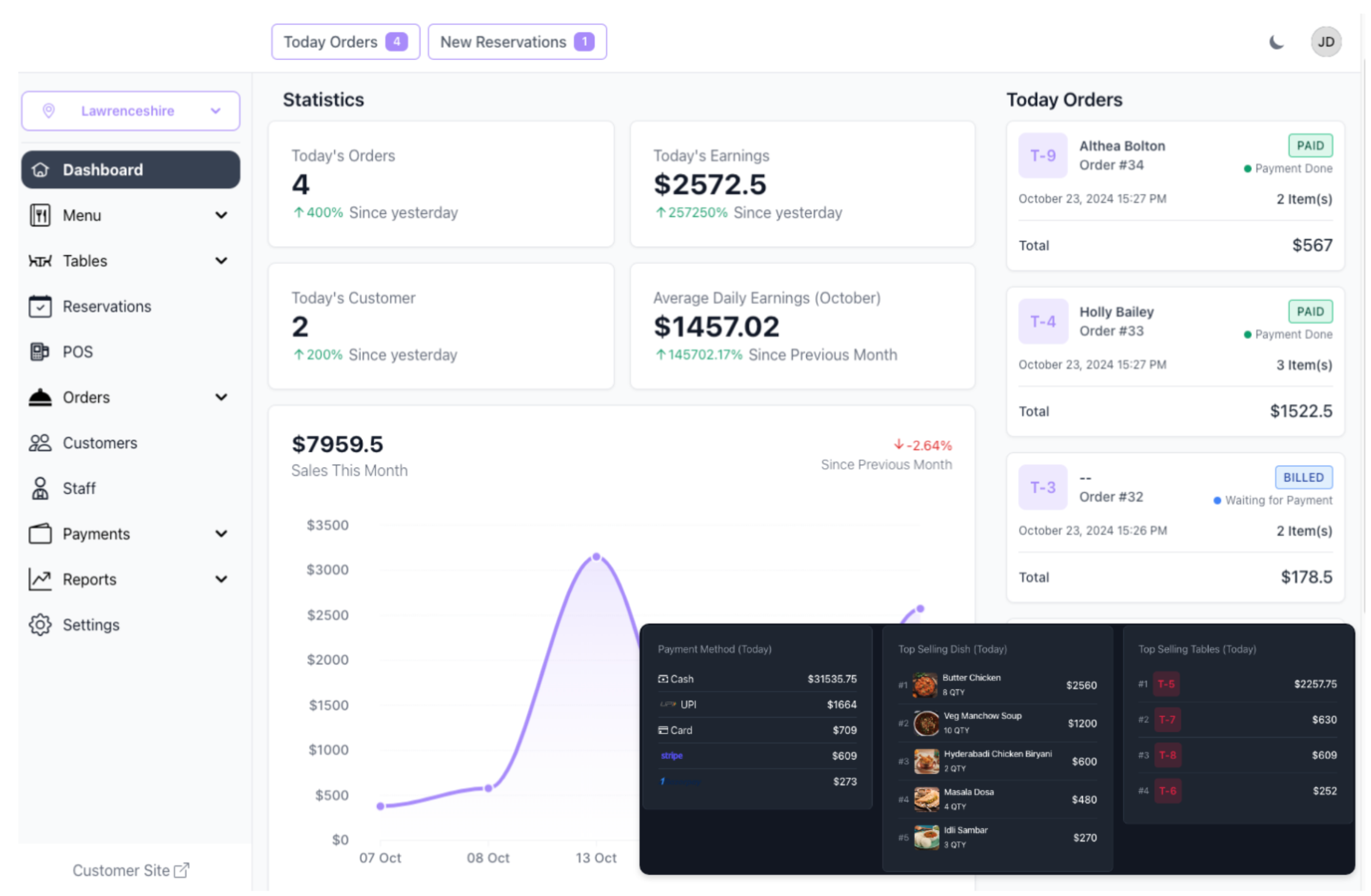
Take Control of Your Restaurant
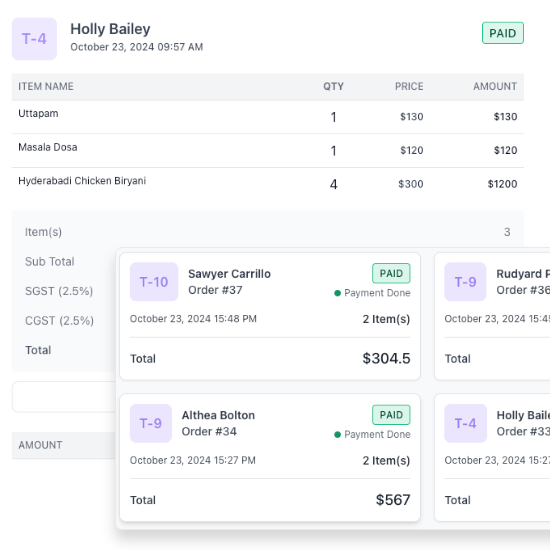
Streamline Order Management
Never lose track of an order again. All your customer orders—from dine-in to takeout—are organized and easily accessible in one place.
Speed up service and keep your kitchen running smoothly.
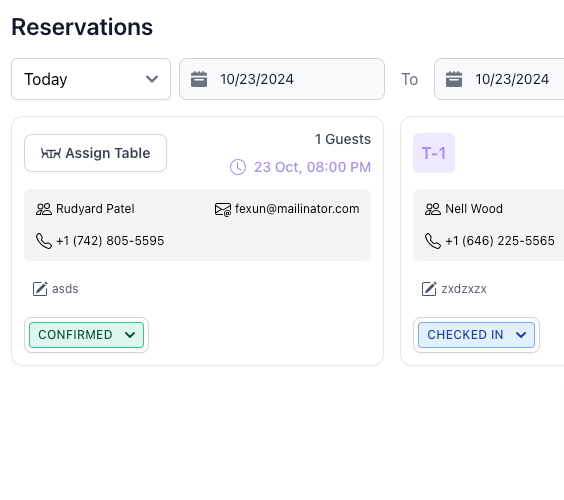
Optimize Table Reservations
Maximize seating efficiency with real-time table tracking and reservations. Reduce wait times and ensure no table sits empty during peak hours, improving customer experience and turnover.
Effortless Menu Management
Easily add, edit, or remove items from your menu on the go. Highlight specials, update prices, and keep everything in sync across all platforms, so your staff and customers always see the latest offerings.
Powerful Features Built to Elevate Your Restaurant Operations
QR Code Menu
Contactless Ordering Made Easy
Payment Gateway Integration
Fast, Secure, and Flexible Payments using Stripe and Razorpay
Staff Management
Separate login for every staff role with different permissions.
POS (Point of Sale)
Complete POS Integration
Custom Floor Plans
Design Your Restaurants Layout.
Kitchen Order Tickets (KOT)
Efficient Kitchen Workflow.
Bill Printing
Quick and Accurate Billing.
Reports
Data-Driven Decisions.
ClickOrder Restaurant Software
Complete restaurant ordering and management solution with QR ordering, digital menu, POS, KOT, reservations, reports, and a dedicated restaurant subdomain.
- Menu
- Menu Item
- Item Category
- Area
- Table
- Reservation
- KOT
- Order
- Customer
- Staff
- Report
- Delivery Executive
- Waiter Request
- Expenses
- Payment
- Settings
- Change Branch
- Export Report
- Table Reservation
- Payment Gateway Integration
- Theme Setting
- Customer Display
Your questions, answered
Answers to the most frequently asked questions.
1. What is ClickOrder?
ClickOrder is a restaurant ordering and management platform that helps restaurants manage digital menus, QR ordering, POS, KOT, reservations, and reports from one place.
2. How does QR table ordering work?
Customers scan the QR code placed on their table, browse the digital menu, select their items, and place an order directly from their phone.
3. Do customers need to install an app?
No. Customers can access the digital menu and ordering system directly through their mobile browser by scanning the restaurant's QR code.
4. Can I manage my restaurant menu online?
Yes. Restaurant staff can manage menu items, categories, prices, images, and availability from the management system.
5. Does ClickOrder support KOT?
Yes. Orders can be managed through the Kitchen Order Ticket (KOT) workflow to help kitchen staff receive and process orders efficiently.
6. Does ClickOrder include POS and billing?
Yes, ClickOrder provides POS and billing features to help restaurants manage orders and sales from one system.
7. Can customers make reservations?
Yes, if the reservation feature is enabled for your restaurant. Restaurants can manage reservation requests and related booking information through the system.
8. Can I see restaurant sales and reports?
Yes. ClickOrder provides reporting features that help restaurants monitor orders, sales, and business activity.
9. Will my restaurant have its own online ordering page?
Yes. ClickOrder provides every restaurant with its own dedicated online ordering page and subdomain. Customers can easily access the restaurant’s digital menu, browse products, and place orders online.
Example: yourrestaurant.clickorder.in
Example: yourrestaurant.clickorder.in
10. How can I get a demo?
Contact our ClickOrder team through WhatsApp to request a demo and learn how ClickOrder can work for your restaurant
Contact
Our address
ClickOrder - +91 7744938137
IndiaOur Email